Learn about the latest features and innovations powering your customer vetting and credit risk management
ONBOARD
Application status history review in the inbox and tighter e-signature controls
APPLYEASY
Just released
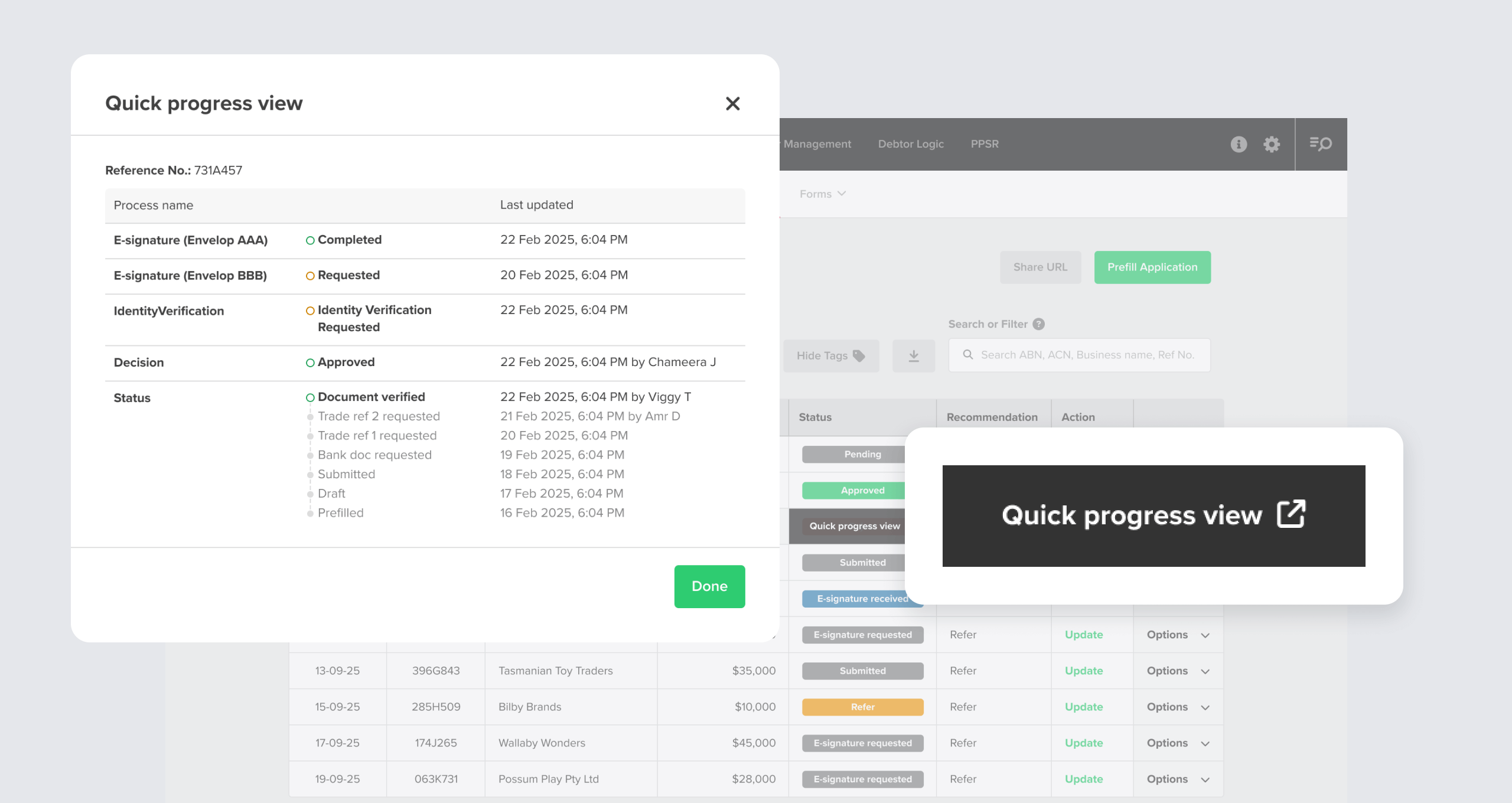
Application status preview
You can now view a full, chronological record of status changes for every application without leaving the ApplyEasy inbox. View the full lifecycle of an application without contacting your backend team, and lock in a traceable audit trail.
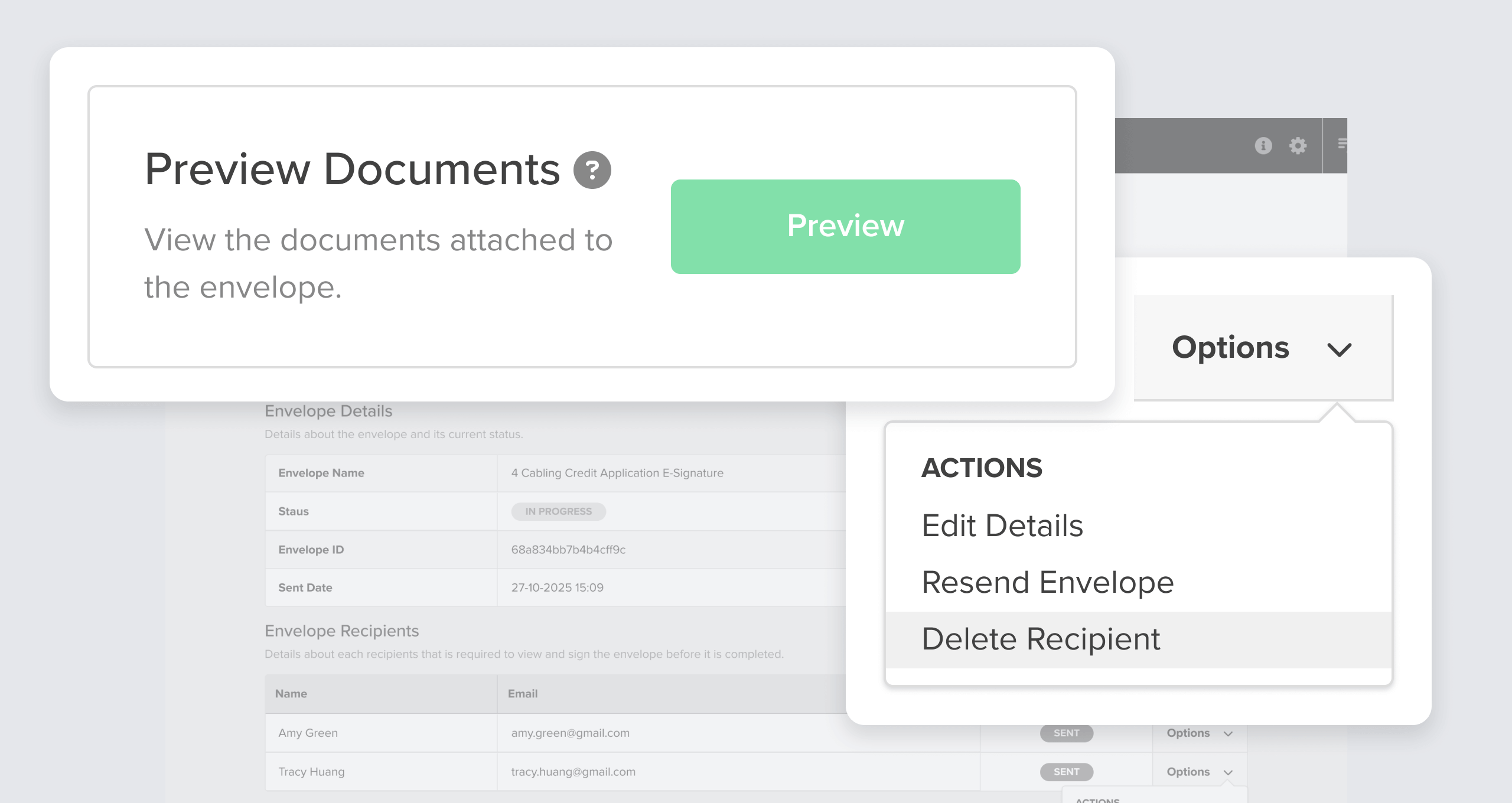
In the event that you only require a minimum number of recipients to sign your application documents, you now have the option to remove signatories who haven’t yet signed once you’ve reached your required number of signatures. This removes bottlenecks when a signatory is unavailable but you have collected the minimum number of required signatures to advance the application.
More flexible filter options, easier customer list management, and greater context on RiskScore and cross-directorships
Debtor Management
Just released
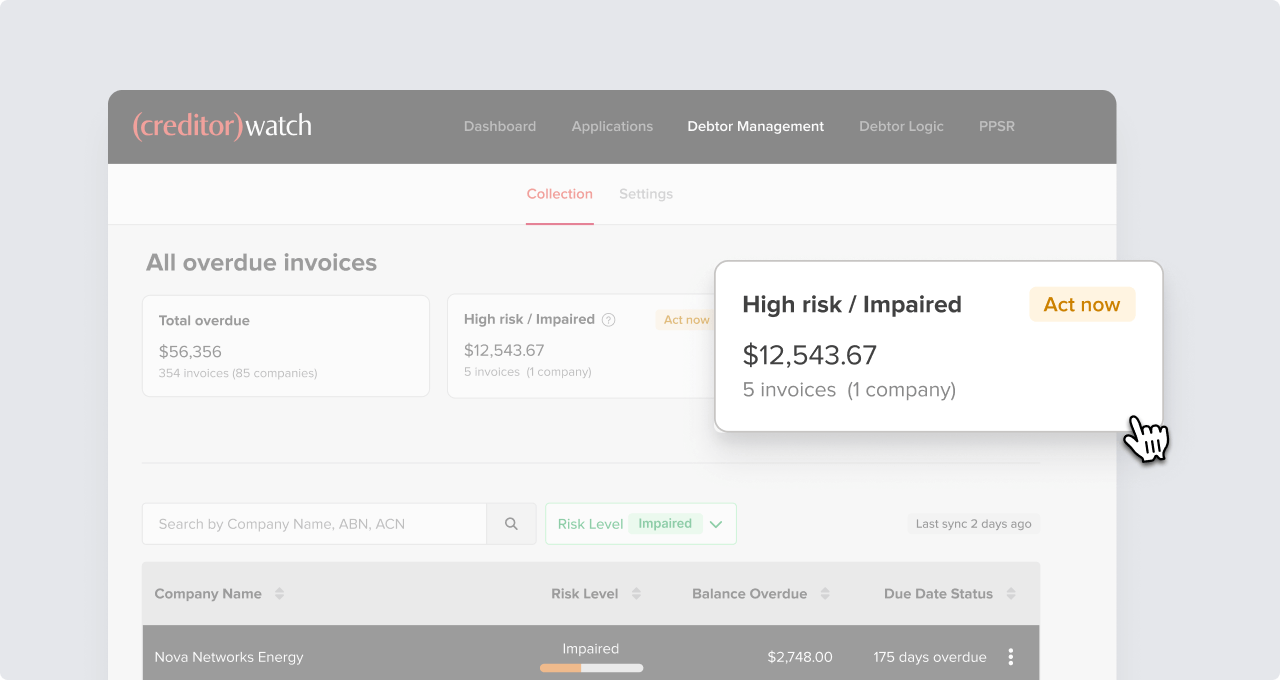
Use tiles as quick filters for easy risk analysis
The tiles at the top of the Debtor Management dashboard are now clickable. Use the total overdue, high risk / impaired, and defaulted tiles as quick filters to quickly view your high risk accounts .
Skip the manual filtering and immediately narrow your search to explore what might need urgent follow-up.
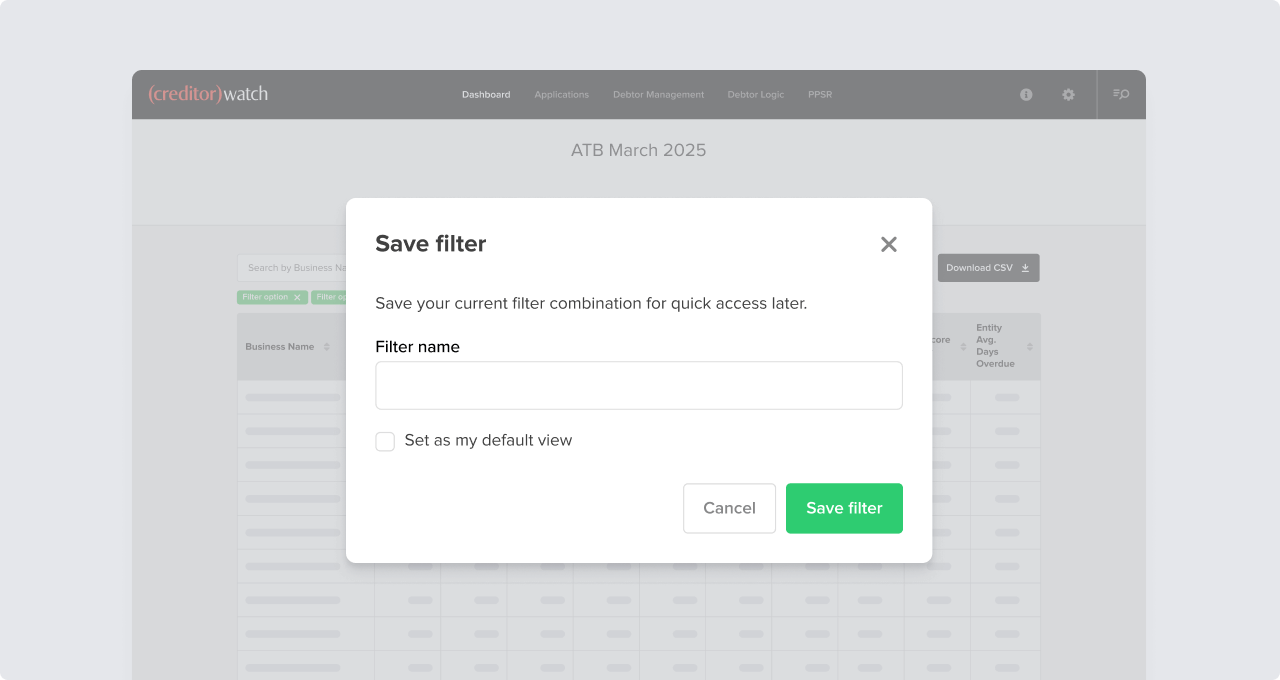
Skip the manual effort of hunting through your ledger or composing filters every time you want to examine deteriorating payers, high-risk events, or important segments.
You can now save a combination of filters in the Accounts List (e.g. High Risk + 60+ days overdue + NSW + Construction), and reapply these saved filters in one click as “quick views.” You can also set a default view, so the most important cross-section of your debtor book loads automatically when you open the DebtorLogic Account List.
Saved filters and default views also ensure everyone works from the same data groupings, improving the way your team identifies and acts on risk.
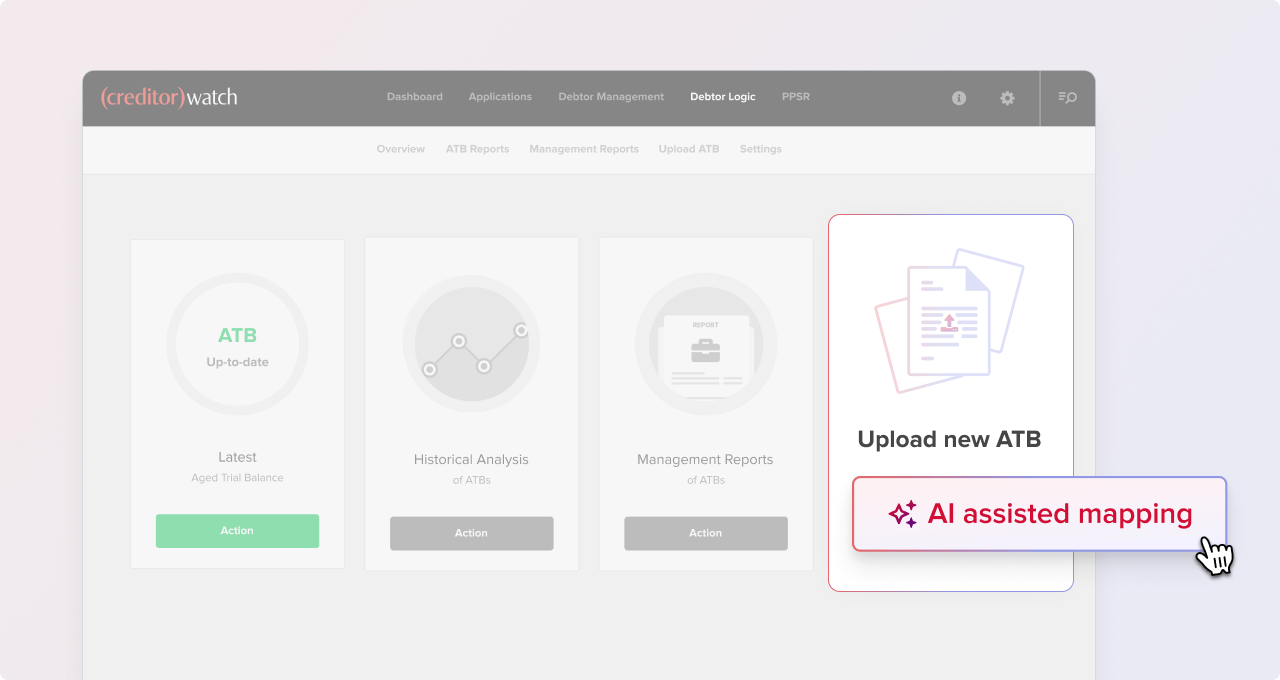
Now when you upload your ATB into DebtorLogic, AI helps map your file’s column headers to CreditorWatch fields. Spend less time mapping your data and more time making critical decisions, with up to 30 mappable columns and a review and confirm step before you save your data.
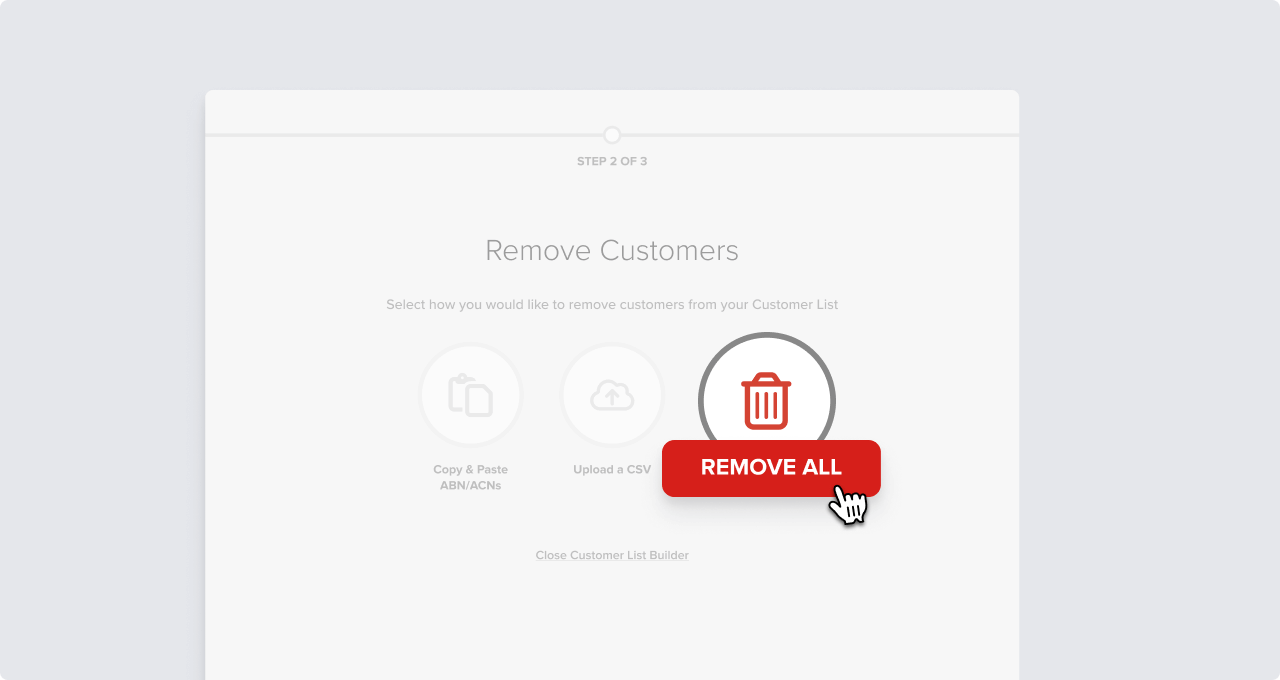
It’s now easier than ever to refresh your customer list in CreditorWatch with a new “remove all customers” button. Quickly and easily remove outdated full customer or supplier lists in a single click.
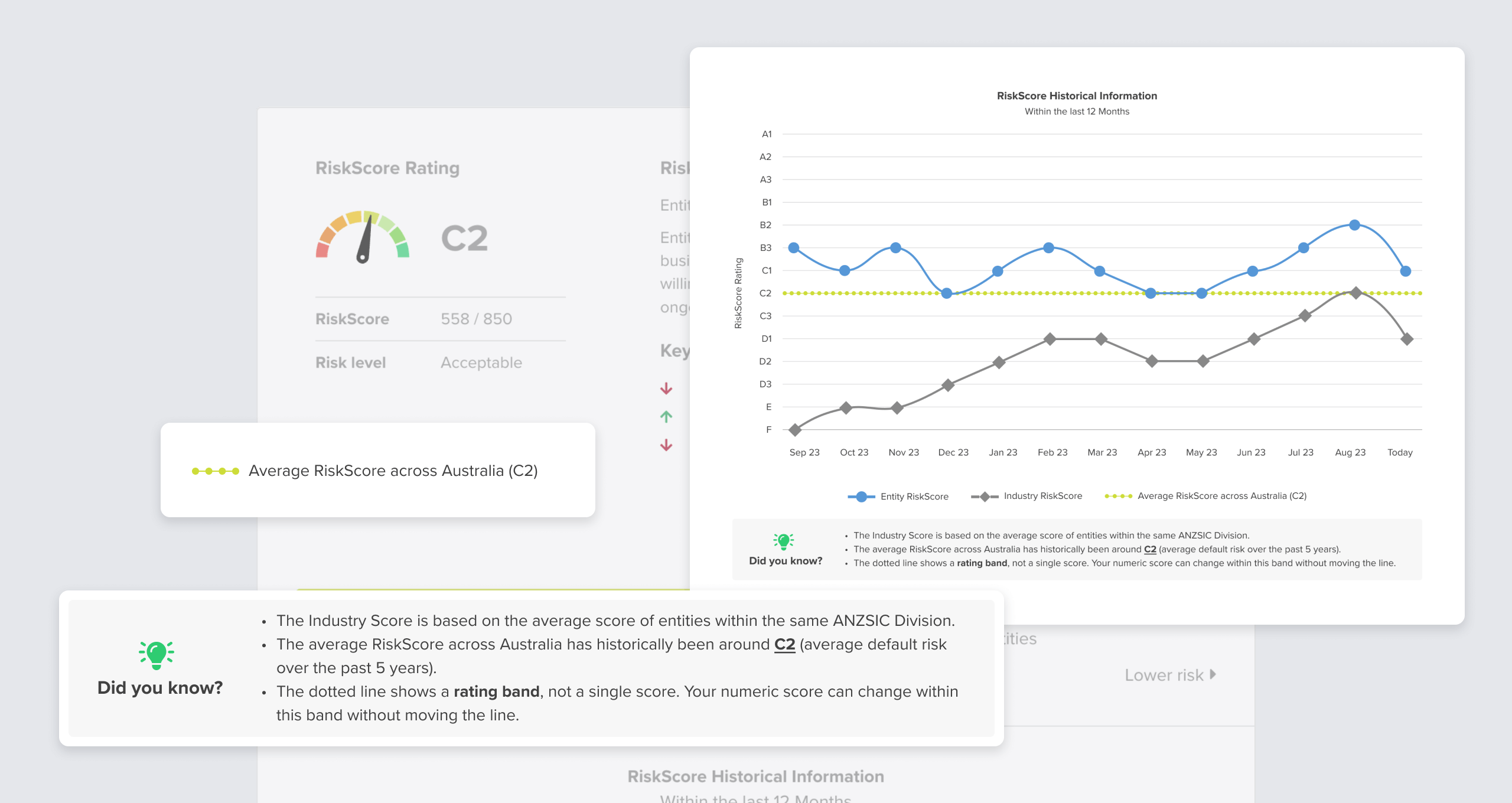
The RiskScore historical chart now shows the average RiskScore across Australia, allowing you to benchmark individual companies against the national average. New tool tips also introduce clarity on the industry RiskScore and the average Australian RiskScore to help you contextualise your understanding of a company’s risk profile.
CREDIT REPORT
Just released
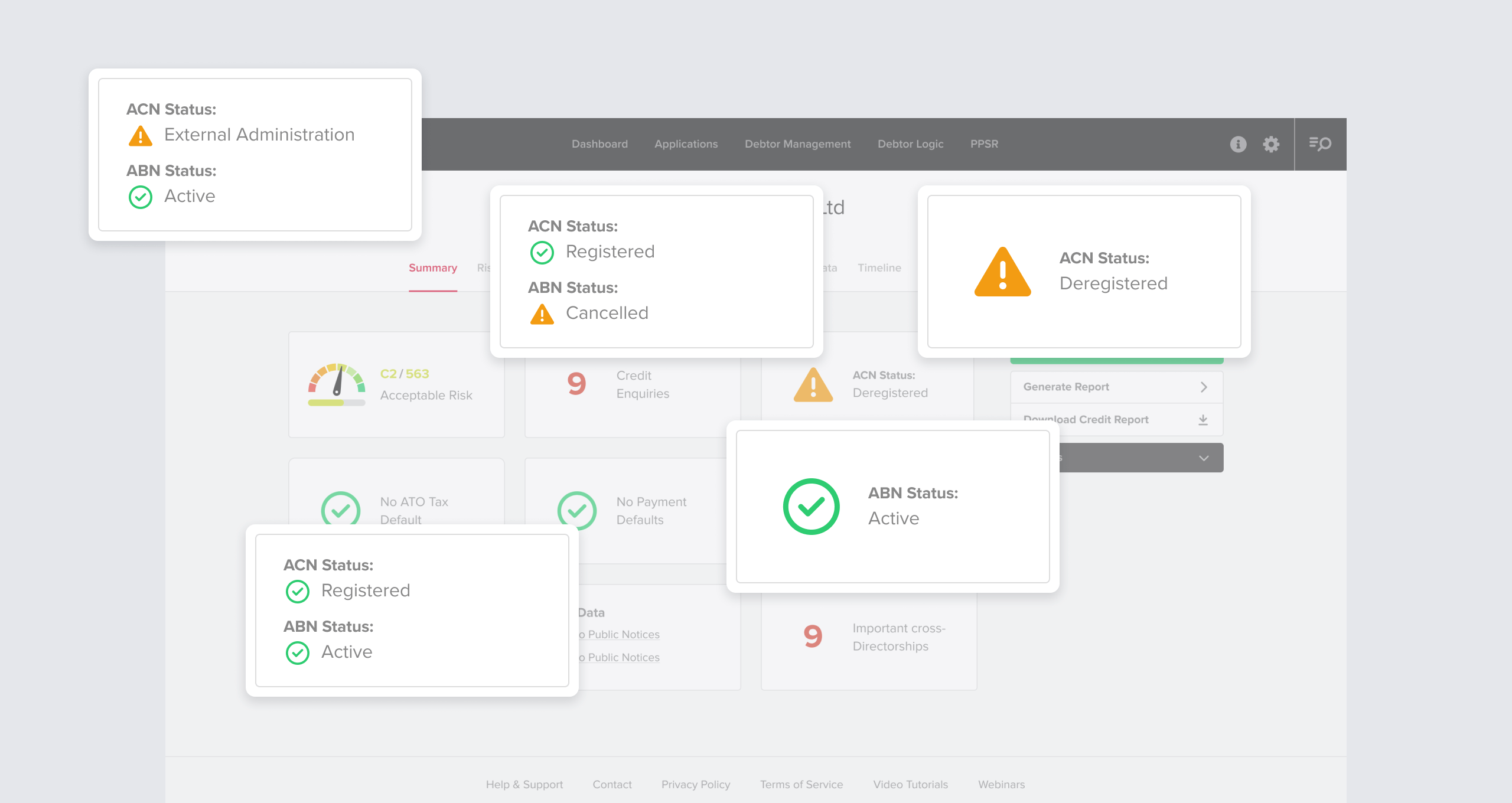
Both ABN and ACN status now displayed in the credit report tiles
The credit report now displays both the ABN and the ACN status in the top right tile, if both are available. When only one is available, we clarify whether it is an ABN or an ACN status to give you a more complete view of a company’s current status.
CREDIT REPORT
Just released
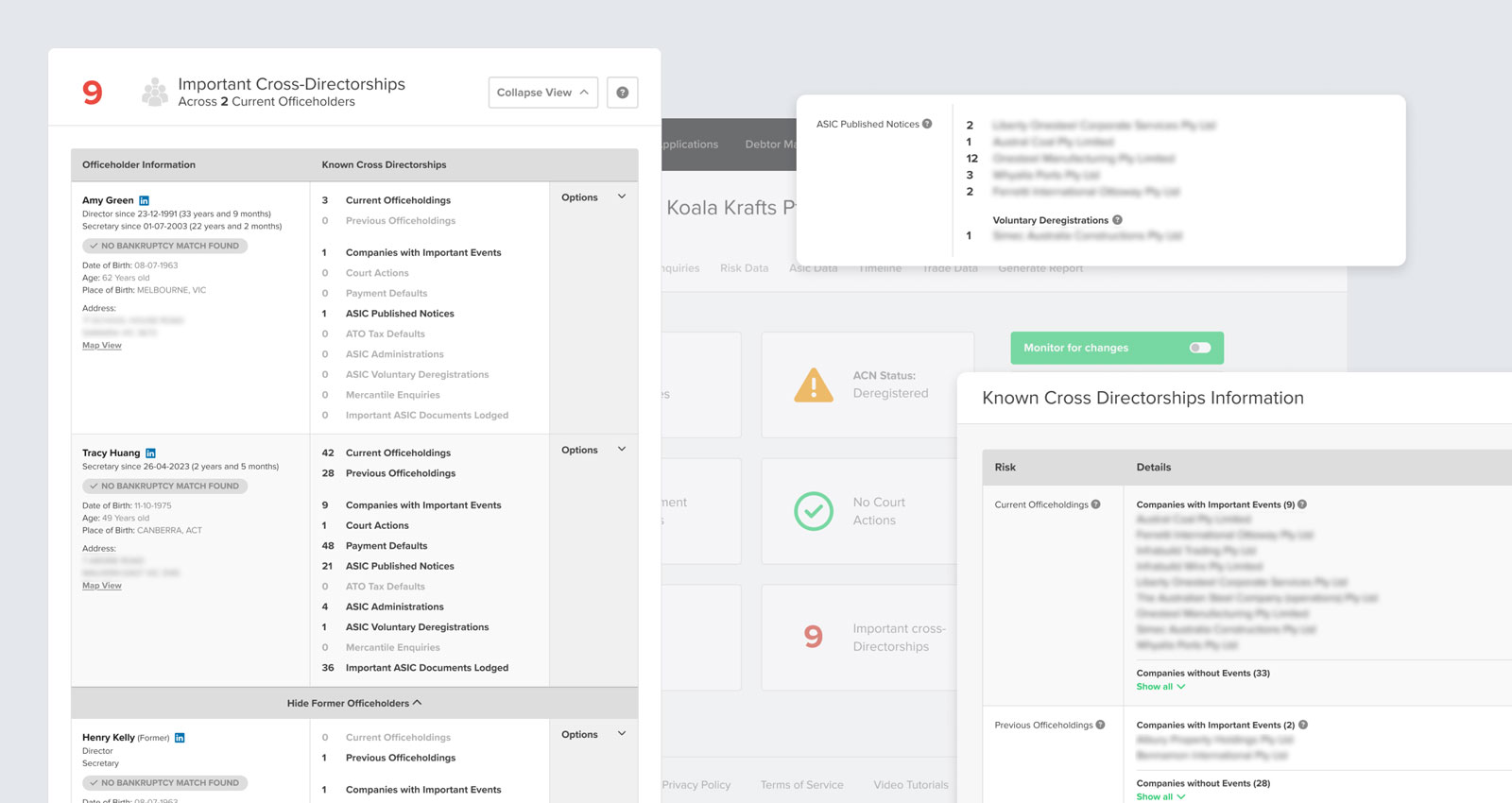
Cross directorship updates
The cross directorship section is getting an upgrade to make it easier to interpret, including:
displaying the number of cross-directorships at the top of the section as well as in the tile
adding an expandable dropdown displaying former directors
highlighting companies with important events at the top of the list